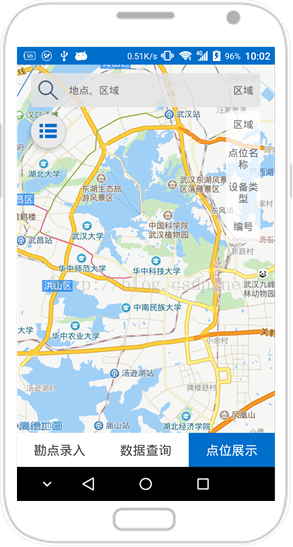
Android 利用popwindow實現類似下拉框效果
阿新 • • 發佈:2019-01-24
1.實現思路。
利用popwindow的showAsDropDown方法,結合自定義background樣式。
2.java程式碼
PopupWindow searchConditionPopwindow = null;
View contentView = null;
    public void showSearchConditionPopwindow(View parent){
        if(contentView == null){
            contentView = getLayoutInflater().inflate(R.layout.search_condition_popwindow,null);
        }
        if(searchConditionPopwindow == null){
            searchConditionPopwindow = new PopupWindow(contentView,
                    parent.getLayoutParams().width, LinearLayout.LayoutParams.WRAP_CONTENT,true);
            searchConditionPopwindow.setBackgroundDrawable(getResources().getDrawable(R.drawable.search_condation_popwindow_style));
        }
        searchConditionPopwindow.showAsDropDown(parent);
}<?xml version="1.0" encoding="utf-8"?>
<layer-list xmlns:android="http://schemas.android.com/apk/res/android">
<item
android:top="5dp"
>
<shape xmlns:android="http://schemas.android.com/apk/res/android"
android:shape="rectangle"
>
<corners android:radius="6dp"></corners>
<solid android:color="#bbffffff"/>
</shape>
</item>
</layer-list>4.效果實現